.png?width=50&height=50&name=eimmigration-symbol-320x320%20(2).png)
It's been a busy first quarter, with new functionality rolling out almost every week in eimmigration.
Check out the most noteworthy updates to hit your system so far in 2026.
Address Verification
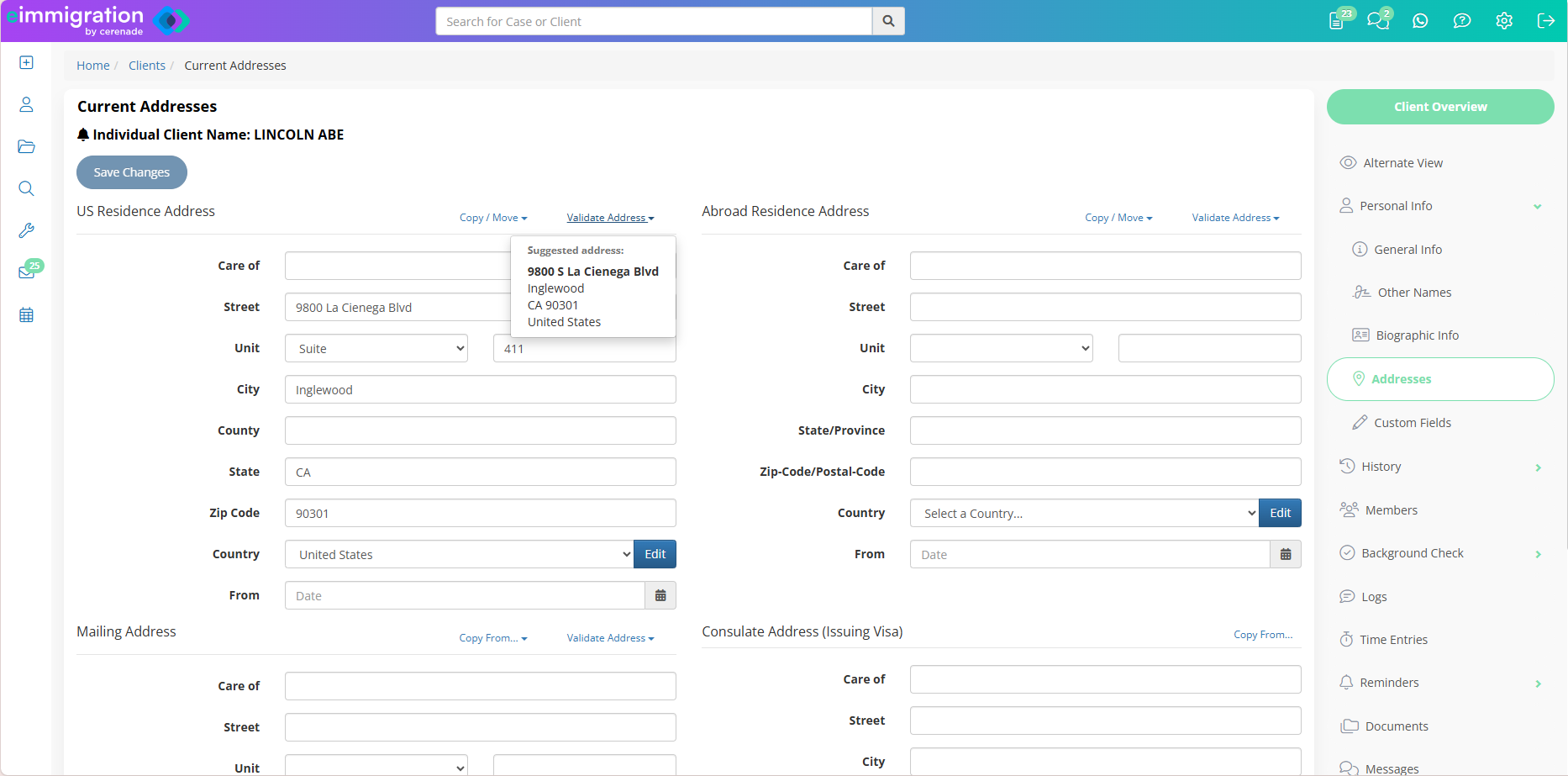
- Correct typos in any address field.
- Verify missing zip codes or postal codes.
- Applies to US, Abroad, and Mailing addresses.
- Works for current and previous addresses.
Head to the address section of any client profile to try it out. Just click ‘Validate Address’ above any completed address field.
If address verification detects incorrect or incomplete information, a box will appear with the suggested address. Click on the suggestion to apply. It’s as simple as that.
Automatic Document Expiration Notifications
Never let an expired document catch you off guard. Caseworkers can now receive automatic notifications when important documents—like passports, visas, and I-94s—are nearing expiration.
- Send multiple time-based notifications via email and SMS.
- Choose notification settings for different document types.
- All caseworkers linked to a case who have the auto-email option enabled will receive notifications.
- Notifications are sent daily at 8:00 am Pacific Time.
This feature is not automatically enabled. A system admin must activate it and configure notification rules.
See it in action on eimmigration Academy on YouTube.
New Client Access Reports
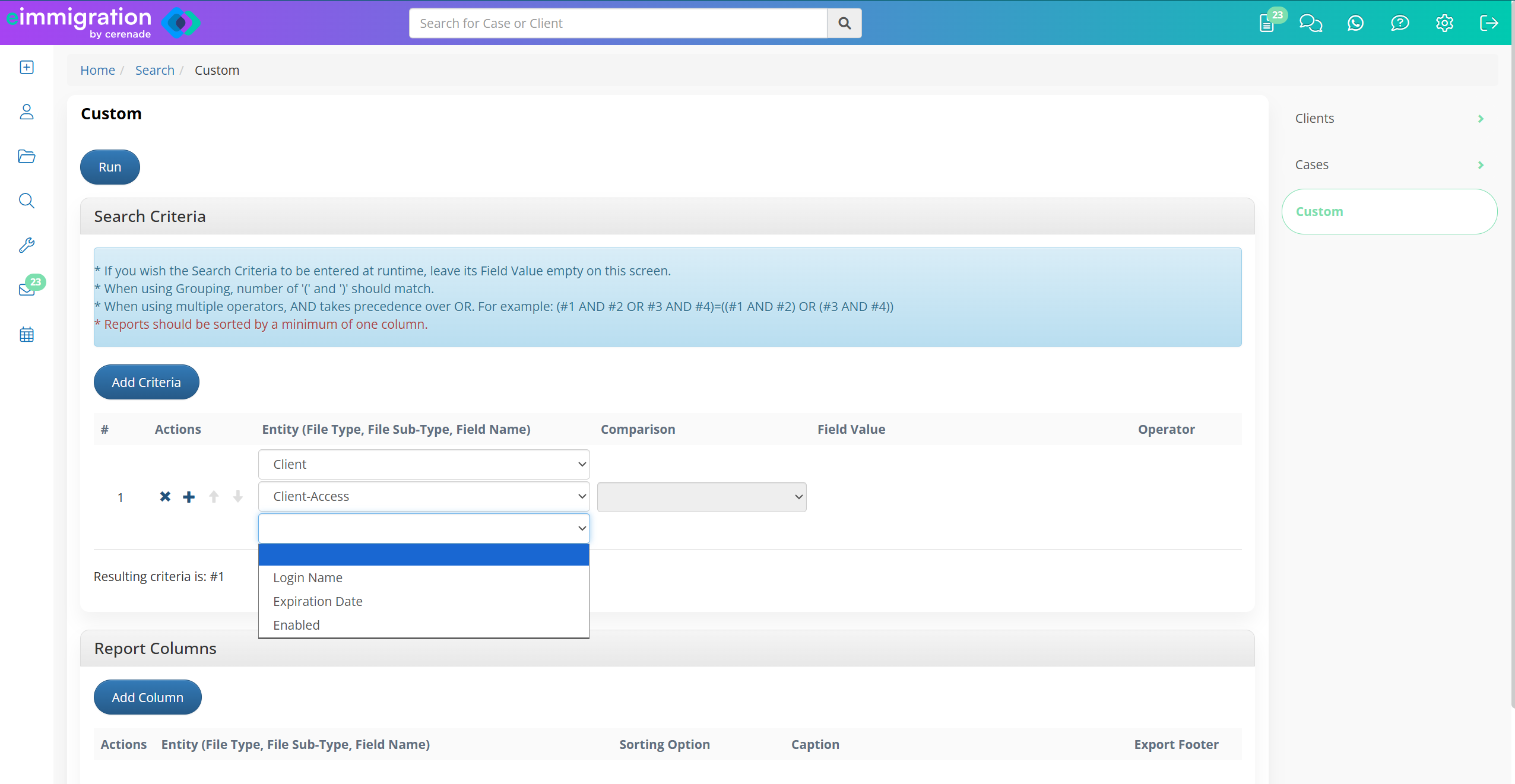
You can now run reports on three new Client Access fields: Login Name, Expiration Date, and Enabled Status. Use these new reports to:
- Check that the right clients have access to the client portal by searching for clients with ‘enabled’ status.
- Catch any access that will soon expire by running reports on expiration dates.
- Make sure access is disabled for clients with a closed case status.
Go to Custom Reports and click ‘Add Criteria.’ Then select ‘Client’ and ‘Client Access.’ Your client access reports are just a click away.
OAuth 2.0 Authentication Support for Microsoft 365
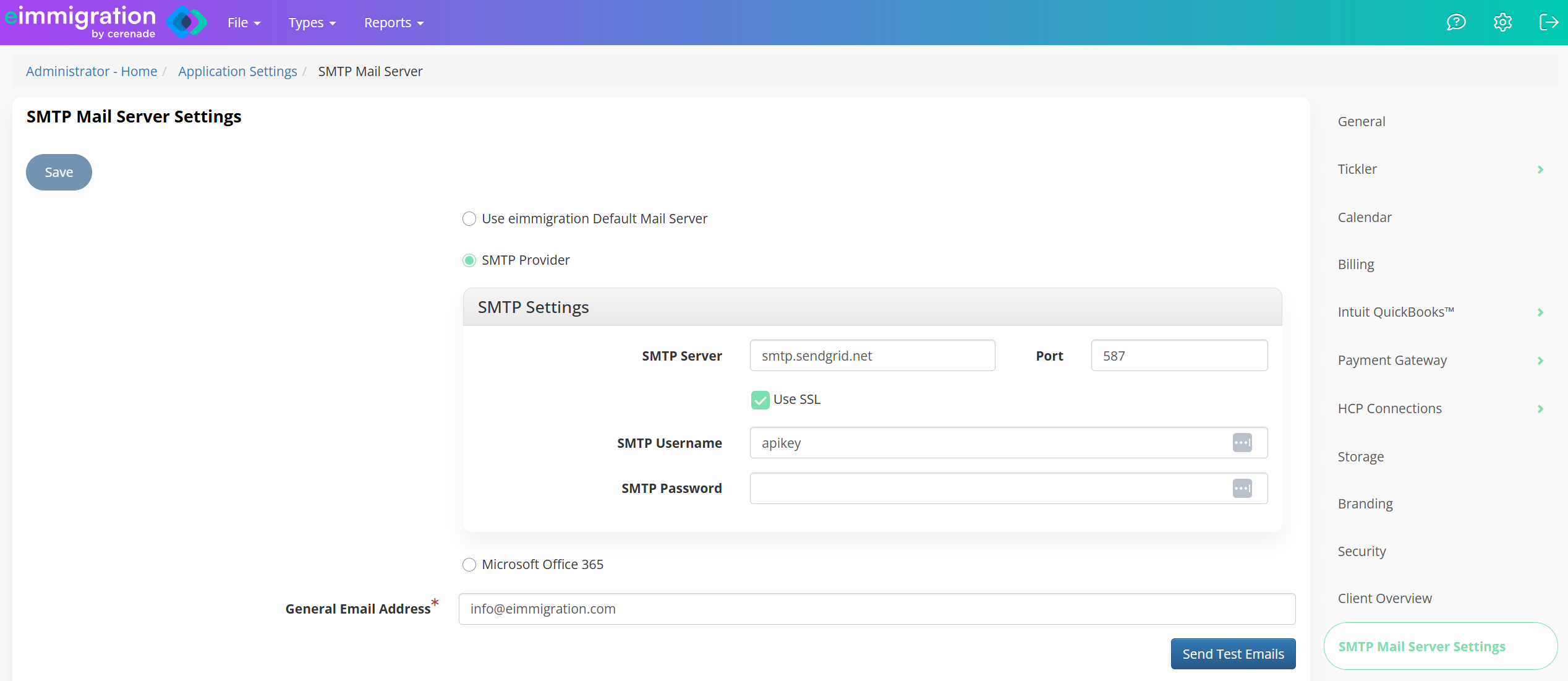
Microsoft 365 is deprecating Basic Authentication for SMTP email sending. We've already built the solution—OAuth 2.0 authentication support for Microsoft 365 is available and ready to go in eimmigration.
If you currently use Microsoft 365 as your mail server in eimmigration, you must take action before Microsoft's deprecation date to continue sending emails through eimmigration.
Follow these steps to switch your configuration from Basic Auth to OAuth 2.0 to ensure continued email delivery:
- Go to Application Settings in your Admin Portal.
- Click on ‘SMTP Server Settings.’
- Then select ‘Microsoft Office 365’ and follow the instructions.
Learn more about Microsoft’s deprecation timeline on the Microsoft blog.
Small changes that make a big difference
- Case Process Documents: Prepopulate case processes with documents from your Document Repository.
- Tickler Dashboard Updates: Caseworkers can now also see all their Pending Cases in their Tickler Dashboard reports.
- Case Search Optimization: Run smart searches across your cases faster than ever.
- Print Forms Upgrade: Say goodbye to delays when printing forms. All immigration forms now print instantly.
- HubSpot Integration: eimmigration’s HubSpot integration is now available to all admins, at the bottom of the Application Settings menu.